
Vocal Image: Speaking Coach
Vocal ImageEducation
4.1759.00 Reviews
- Version
- 8.57.0
- Installs
- 1.00M
- Age Rating
- Everyone
Screenshots
Our Review of Vocal Image: Speaking Coach
 Analysis by Appyee
I like Vocal Image: AI Speaking Coach best as a practice companion, not a magic fix for every speaking problem. It gives you a way to work on how you communicate in short, focused sessions, and the voice feedback can help make practice feel more directed than simply repeating a sentence on your own. The trade-off is that useful progress still depends on showing up regularly, choosing a quiet place to speak, and judging feedback with a bit of common sense.
What makes the practice feel useful
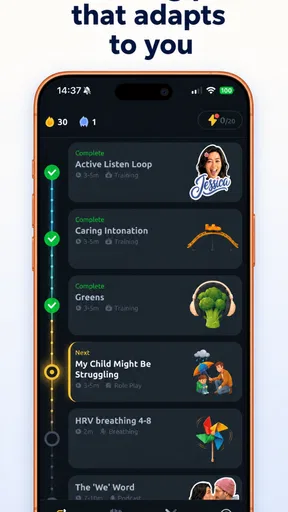
The most valuable part for me is the connection between a specific goal and a practical exercise. If I’m preparing to introduce myself at a meeting, for instance, I can focus on being clearer and more deliberate instead of vaguely trying to “sound better.” Breathing and articulation work can also help when nerves make me rush or swallow words. That makes the app easier to fit into a real routine than an open-ended collection of speaking advice.
The AI feedback has a role, but I would treat it as a prompt for reflection rather than a definitive verdict on my voice. A recording can draw attention to habits I might otherwise miss, while the listening environment and the way I deliver a sample can affect what the app picks up. One useful habit is to repeat the same short passage in similar conditions on different practice days. That gives me a more meaningful comparison than trying unrelated exercises and expecting a clear measure of progress.
How I would use it in an ordinary week
Imagine I have to give a short update at work on Friday. I could use a few minutes earlier in the week to practise breathing, then say the opening of the update aloud and listen to the feedback. The next day, I could focus on articulation and try the same opening again, paying attention to whether I’m speaking too quickly. Just before the meeting, I’d use a brief rehearsal to settle into the words rather than attempting to overhaul my voice at the last minute.
That kind of small, repeatable routine is a better fit than treating each session as a test. I’d keep one goal at a time—such as clearer consonants or steadier delivery—and use a familiar phrase to notice changes. If the feedback seems surprising, I’d record again in a quieter spot before drawing conclusions. This keeps the app’s analysis useful without letting a single result dictate how I feel about my speaking ability.
Where it sits among speaking tools
Compared with free videos, articles, or general voice exercises, this app offers a more guided loop: practise, receive feedback, and try again. Those alternatives can be better if I want a human teacher’s explanation, a full public-speaking course, or advice tailored to a complex communication need. A teacher can hear context and intent in a way an automated tool may not, while a simple timer and phone recorder may be enough for someone who only wants to rehearse a talk.
I see the strongest case for using it between lessons or alongside independent practice, not as a replacement for every other option. Someone who wants to build a habit and get a nudge toward a particular speaking goal may appreciate the structure. Someone who mainly needs expert feedback on a high-stakes presentation, accent coaching, or support for a speech or hearing concern should look for a qualified person or a tool designed specifically for that need.
Getting Started with Vocal Image
First off, downloading the app was a breeze. It's available on both Android and iOS, so no worries about platform compatibility. Once you fire it up, you’re greeted with a clean and intuitive interface. It doesn’t take long to figure out where everything is, which is always a plus in my book. I mean, who doesn’t like an app that’s easy to navigate?
Setting up your profile is straightforward. You answer a few questions about your voice goals. Whether you want to improve your pitch, clarity, or just not sound like you’ve got a frog in your throat, Vocal Image has got you covered. I went with clarity, because who doesn’t want to sound crystal clear?
The Features You’ll Love
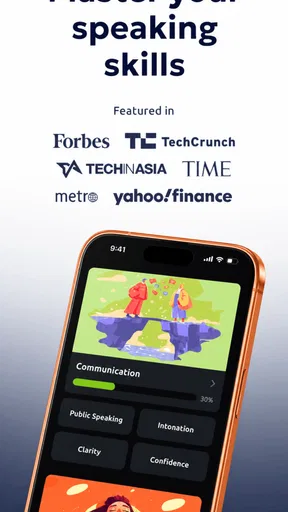
The app offers a variety of exercises tailored to your specific needs. You can choose from a list of categories like breathing techniques, articulation, and even public speaking. It’s almost like having a personal coach in your pocket. I tried out the breathing exercises first, and let me tell you, they really do help you calm those nerves.
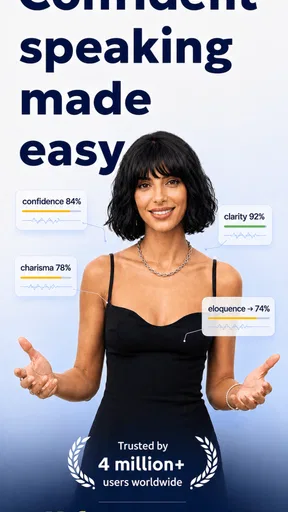
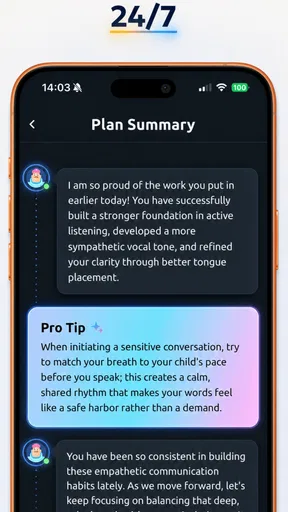
One cool thing is the use of AI to analyze your voice. After completing an exercise, the app gives you feedback on what you’re doing right and where you can improve. It's kind of like having a virtual teacher who’s got your back. Plus, the feedback is personalized, which makes it feel less like generic advice and more like a friendly nudge in the right direction.
A Few Things to Keep In Mind
While the app is packed with features, some of the more advanced ones require a subscription. This might be a bummer if you're looking for something completely free. But honestly, the free version still offers a lot of value. If you're serious about improving your speaking skills, it might be worth considering the upgrade.
Another thing I noticed is that it's best to use the app in a quiet environment. The AI works better when there’s no background noise, which makes sense. I tried using it in a bustling café once, and let's just say the results were a bit off. Lesson learned—save the practice for home or a quiet spot.
Making the most of the free start
The app is free to download, but it also offers in-app purchases, with listed items ranging from under a dollar to higher-priced options. I’d explore the free experience before paying for anything. First decide what you actually want to improve, then see whether the available practice is enough to support that goal. If you find yourself returning to the exercises and wanting more structure, a paid option may make sense; if you only need occasional rehearsal, a phone recorder and a quiet room could be enough.
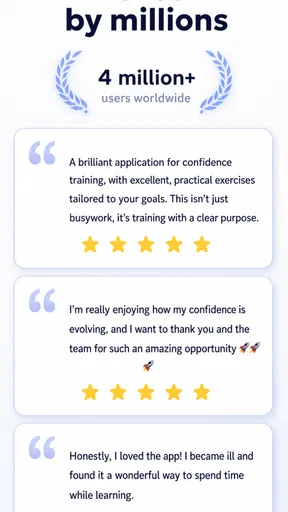
Vocal Image is an education app from Vocal Image, with an Everyone age rating. It has an average rating of 4.1 from around 14,000 ratings and has been installed over a million times. Those figures suggest it has found an audience, but they don’t tell me whether its style of feedback will suit my voice or goals. I’d use them as context, not as a reason to expect the same results as another user.
Small adjustments that improve a session
For voice analysis, the quiet-room advice matters in practice: choose a place where other people are unlikely to talk over you, and keep your phone in a consistent position. I’d also avoid comparing a calm reading one day with a rushed attempt the next. That difference may say more about the situation than about my speaking skills. Consistency makes the feedback easier to interpret and keeps practice from turning into a hunt for a perfect score.
It can help to bring a real speaking task into an exercise rather than practising only abstract phrases. I might use the first lines of a presentation, a short introduction for a new colleague, or a sentence I often stumble over on calls. I would still keep private or sensitive material out of a practice recording unless I was comfortable using it in the app. Most importantly, I’d make a note of one change to try next time, such as pausing after a key point, rather than attempting to fix every aspect of my delivery in one session.
When I would choose something else
This isn’t the right fit if I want a guaranteed transformation without regular effort, or if automated feedback itself makes me more self-conscious. It may also feel limited for someone who learns best through direct conversation with a coach, needs detailed feedback on body language, or wants to practise in a noisy commute. In those cases, a live class, a qualified speech professional, or simple rehearsal with a trusted listener may be more useful.
I’d also be cautious about treating a voice app as a solution to a medical or clinical concern. Practice tools can support everyday communication goals, but they are not a substitute for professional assessment when a voice problem is persistent or affects daily life. For ordinary confidence-building and speaking practice, though, the focused exercises give me a convenient starting point—provided I keep my expectations realistic.
A Few Things to Keep In Mind
While the app is packed with features, some of the more advanced ones require a subscription. This might be a bummer if you're looking for something completely free. But honestly, the free version still offers a lot of value. If you're serious about improving your speaking skills, it might be worth considering the upgrade.
Another thing I noticed is that it's best to use the app in a quiet environment. The AI works better when there’s no background noise, which makes sense. I tried using it in a bustling café once, and let's just say the results were a bit off. Lesson learned—save the practice for home or a quiet spot.
Wrapping It Up
So, is Vocal Image: AI Speaking Coach worth your time? If you’re looking to polish up your speaking skills and don’t mind a bit of AI assistance, I’d say give it a shot. It’s user-friendly, packed with useful features, and offers a decent free version to start with. Who knows, you might just find yourself speaking with newfound confidence!
Ready to dive in and give your voice the upgrade it deserves? You can grab the app from the Google Play Store or the Apple App Store. Happy speaking!
Verdict
Strengths of Vocal Image: Speaking Coach
- Enhances vocal clarity and projection.
- Offers personalized training plans.
- Simple and intuitive user interface.
- Tracks progress with detailed analytics.
- Wide range of exercises available.
Limitations of Vocal Image: Speaking Coach
- Requires a stable internet connection.
- Limited features in the free version.
- Some exercises may feel repetitive.
- Ads can be intrusive in free mode.
- Not all accents are supported.
Similar Picks in This Category
View All
Duolingo: Language Lessons
Duolingo4.7

Google Classroom
Google LLC2.8

Unacademy: Learn & Crack Exams
Unacademy3.2

Bible App for Kids
Life.Church4.4

Cake - Learn English & Korean
Cake Corp.4.7

Brainly: AI Homework Helper
Brainly4.5
Frequently Asked Questions
What is Vocal Image: AI Speaking Coach?
Vocal Image: AI Speaking Coach is an innovative app designed to help users improve their speaking and communication skills using AI technology. It offers personalized feedback, exercises, and tutorials to enhance voice clarity, pronunciation, and confidence in public speaking. Ideal for anyone looking to refine their vocal abilities.
How does the AI technology work in the app?
The app utilizes advanced AI algorithms to analyze your voice and provide detailed feedback on various aspects such as pitch, tone, and speed. It offers suggestions for improvement and tailors exercises to your specific needs, making the learning process efficient and customized.
Is the app suitable for non-native English speakers?
Yes, Vocal Image: AI Speaking Coach is designed to be beneficial for non-native English speakers. The app provides exercises that focus on pronunciation and enunciation, helping users to improve their English speaking skills and gain confidence when communicating in English.
Are there any subscription fees or in-app purchases?
Vocal Image offers a variety of features for free, but to unlock advanced functionalities and personalized coaching, users may need to subscribe to a premium plan. The app provides different subscription options, allowing users to choose one that best fits their needs and budget.
Can this app be used for professional development?
Absolutely! Vocal Image: AI Speaking Coach is an excellent tool for professional development. It's perfect for individuals in roles that require strong communication skills, such as sales, teaching, or leadership positions, helping users to enhance clarity and persuasiveness in their speech.
